







Desk Setup Tips for Focus and Comfort
Creating a workspace that promotes focus and comfort can make a significant difference in your productivity and overall well-being. Whether you work from home or spend long hours at an office desk, having the right setup helps minimize distractions, reduce physical strain, and foster a positive mindset. In this post, we’ll explore practical tips to optimize your desk area for both comfort and concentration.
Why Desk Setup Matters
A thoughtfully arranged desk is more than just an aesthetic choice—it directly influences how well you can work. Poor setups can cause discomfort, fatigue, and even health issues like back pain or eye strain. Conversely, a well-organized and ergonomic workspace encourages you to stay engaged and feel good physically.
Choosing the Right Desk and Chair
Desk Height and Size
Your desk should allow you to sit with your forearms parallel to the floor while typing or writing. Standard desk heights are usually between 28 to 30 inches, but adjustable desks or standing desks provide more flexibility. Also, select a desk size that accommodates your equipment without feeling cramped.
Ergonomic Chair
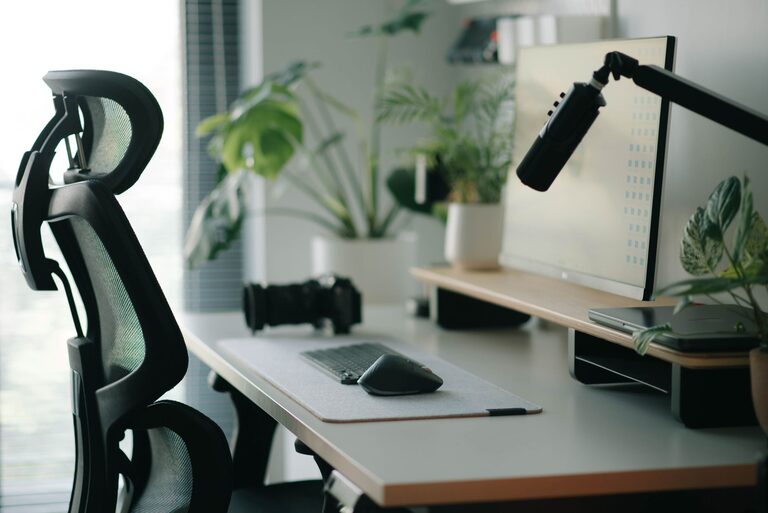
Invest in a chair that supports your lower back and promotes good posture. Features to look for include adjustable seat height, lumbar support, and comfortable cushioning. If you need to sit for prolonged periods, consider a chair with armrests and a swivel base for ease of movement.
Proper Monitor Placement
Screen Height and Distance
Position your monitor so the top of the screen is at or slightly below eye level. This helps prevent neck strain from looking up or down. Place the monitor about an arm’s length away to reduce eye fatigue. If you use multiple monitors, arrange them so you can view them with minimal head movement.
Use a Monitor Stand or Adjustable Arm
If your monitor doesn’t have height adjustment, a stand or adjustable arm can help you find the ideal screen position. This also frees up desk space underneath for organizing your workspace.
Organize Your Desk for Efficiency
Declutter Regularly
A tidy desk reduces distractions and improves focus. Keep only essential items within reach, such as your computer, notepad, and a few frequently used tools. Store other materials in drawers or shelves.
Use Desk Organizers
Desk organizers like pen holders, cable management clips, and file trays keep your supplies neat and accessible. Managing cables prevents tangles and reduces visual clutter.
Lighting
Adequate lighting is crucial. Natural light is ideal, so position your desk near a window if possible. If not, use a desk lamp with adjustable brightness and color temperature to reduce eye strain during evening hours.
Improve Comfort with Accessories
Keyboard and Mouse Placement
Place your keyboard and mouse close enough to avoid overreaching. Use a wrist rest to minimize strain if needed. Consider ergonomic keyboards or mice designed to support the natural position of your hands.
Footrest
If your feet don’t rest flat on the floor, a footrest can improve posture by supporting your legs and reducing pressure on your lower back.
Add Personal Touches
A few personal items, like a plant or photo, can make your workspace inviting without causing distraction. Plants also improve air quality and add a calming presence.
Incorporate Healthy Habits
Take Breaks and Move
No desk setup can replace the benefits of regular movement. Take short breaks to stretch or walk around every hour to reduce stiffness and maintain circulation.
Stay Hydrated
Keep a water bottle or glass nearby. Drinking water helps maintain concentration and overall health.
Final Thoughts
Focusing and feeling comfortable at your desk go hand in hand. By paying attention to ergonomics, organizing your materials, and creating an inviting space, you can enhance your productivity and enjoy your work more. Remember to adjust your setup as needed and listen to your body’s signals to maintain a healthy workspace.